

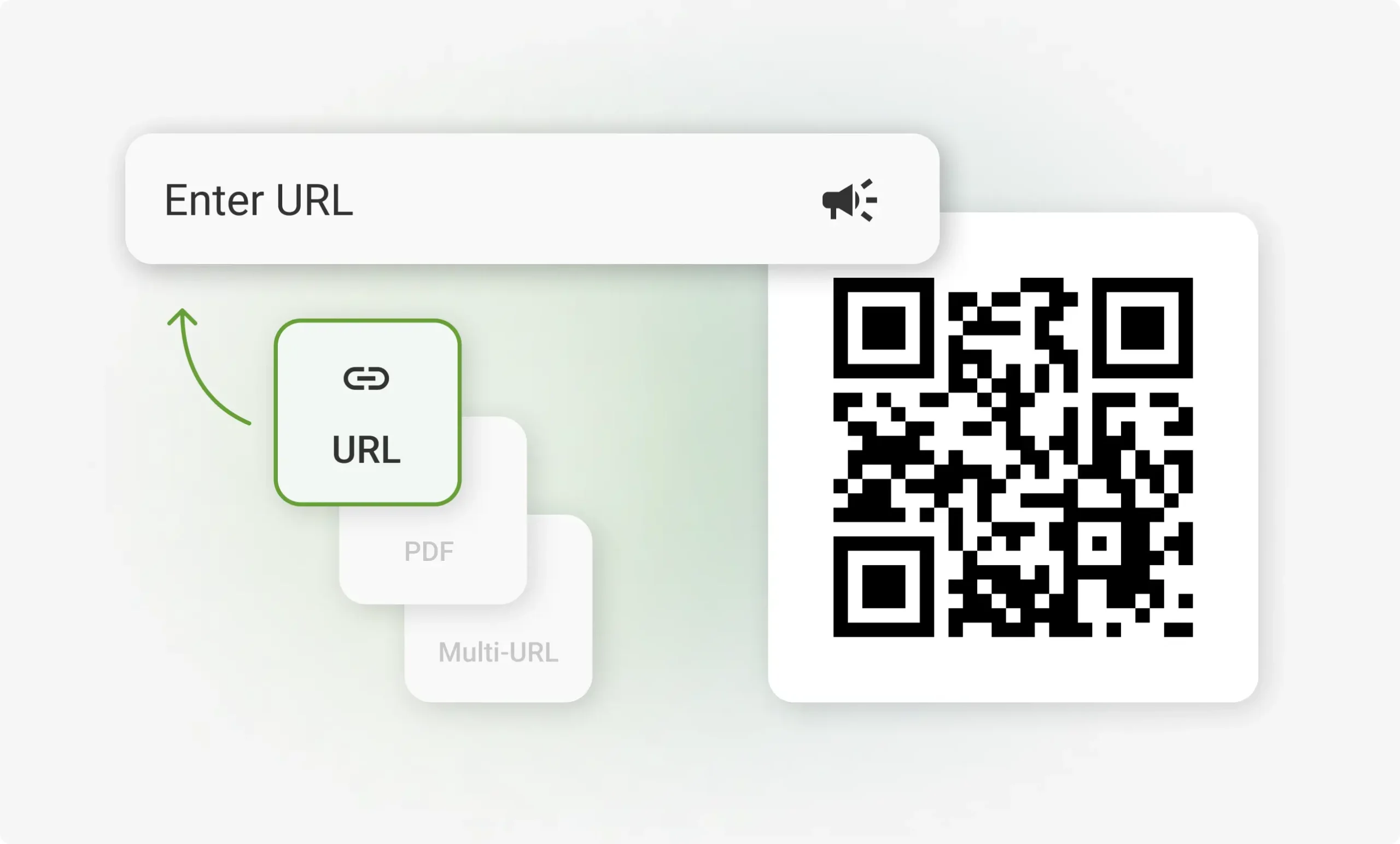
A QR code generator is a simple but powerful online tool that helps users create scannable QR codes for websites, contact details, payments, menus, products, events, and many other digital purposes. It saves time, reduces manual typing, and makes information sharing faster, cleaner, and more professional.
Introduction
In today’s fast-moving digital world, people expect quick access to information without wasting time typing long website addresses, searching manually, or filling in complicated details. This is where a QR code generator becomes extremely useful. A QR code, also known as a Quick Response code, is a scannable square-shaped code that stores digital information and opens it instantly when scanned with a smartphone camera or QR scanner. From restaurants and shops to schools, hospitals, events, packaging, business cards, and online marketing campaigns, QR codes have become part of everyday life because they connect offline materials with online content in just a few seconds. A QR code generator allows anyone to create these codes without technical knowledge, making it easier for individuals, brands, and businesses to share information in a professional and convenient way.
The popularity of QR codes has grown because they solve a real problem: they make access simple. Instead of asking someone to type a long URL, save a phone number manually, download an app by searching its name, or open a social media profile through several steps, a QR code can take them directly to the right destination. This makes the qr code generator an important tool for modern communication, digital marketing, customer engagement, education, and business growth. Whether someone wants to promote a website, share a PDF file, collect customer feedback, display a digital menu, create a payment code, or add contact information to a business card, a QR code generator can make the process smooth and effective.
What Is a QR Code Generator?
A QR code generator is an online or software-based tool that converts information into a QR code format. The information can be a website link, text, email address, phone number, Wi-Fi login, location, social media profile, payment detail, event information, app download link, coupon, document, or any other digital destination. After entering the required data, the tool creates a unique QR code that users can download and use on posters, flyers, product labels, websites, business cards, packaging, banners, menus, presentations, and other materials. The main purpose of a QR code generator is to make digital access quick and effortless for the end user.
A good QR code generator does more than simply create a black-and-white code. Many advanced tools allow users to customize the design, change colors, add a logo, select different shapes, create dynamic QR codes, track scan performance, and edit the linked destination later. These features are especially helpful for businesses and marketers because they make QR codes not only functional but also visually connected to the brand. A plain QR code can work well for basic needs, but a branded and customized QR code can look more professional and encourage more people to scan it. This is why many businesses now treat QR codes as part of their digital identity rather than just a technical shortcut.
How a QR Code Generator Works
A qr code generator works by taking user-provided information and converting it into a pattern of small black and white squares. These squares store data in a format that smartphone cameras and scanner apps can read. When a person scans the QR code, their device decodes the pattern and performs the required action, such as opening a website, showing text, connecting to Wi-Fi, saving a contact, or redirecting to an online page. The process seems simple from the outside, but behind it is a smart encoding system designed to store information in a compact and machine-readable form.
The user usually starts by choosing the type of QR code they want to create. For example, if they want to send people to a website, they select the URL option and paste the website address. If they want to create a digital business card, they add name, phone number, email, company, and address details. Once the information is added, the QR code generator instantly creates a scannable code. The user can then download it in image formats such as PNG, JPG, SVG, or PDF, depending on the platform. The downloaded QR code can be printed or shared digitally. This simple process makes QR code technology accessible to everyone, even those who have no design or programming experience.
Why QR Codes Are So Popular Today
QR codes are popular because they match the habits of modern users. People use smartphones for almost everything, and scanning a code is faster than typing information manually. A QR code generator helps businesses and individuals use this behavior in a practical way. Restaurants use QR codes for digital menus, shops use them for product information, event organizers use them for tickets and registration, schools use them for learning resources, and companies use them for marketing campaigns. This wide range of usage has made QR codes one of the most common tools in digital communication.
Another reason for their popularity is convenience. QR codes work on both printed and digital materials, which means they can connect physical spaces with online platforms. A flyer can lead to a website, a product label can open an instruction video, a business card can save contact details, and a poster can direct users to a registration form. This ability to bridge the gap between offline and online experiences makes QR codes highly valuable. For businesses, it improves customer interaction. For customers, it removes extra effort. For marketers, it creates measurable engagement. For everyday users, it offers a quick and simple way to share information.
Main Benefits of Using a QR Code Generator
One of the biggest benefits of using a QR code generator is speed. A QR code allows users to access information instantly by scanning it with their phone camera. This saves time and reduces errors because users do not need to type long links or complicated details. For example, a customer scanning a QR code on a product package can immediately see instructions, reviews, warranty details, or a video guide. This improves the customer experience and makes information more accessible. Speed is especially important in marketing because users often lose interest if they need to take too many steps.
Another important benefit is cost-effectiveness. Businesses can use QR codes on existing materials like posters, receipts, labels, banners, brochures, and packaging without spending heavily on new technology. A QR code generator makes it easy to create codes for different campaigns and purposes. Dynamic QR codes are even more useful because the destination link can be updated without reprinting the code. This means a business can print one QR code and later change the content behind it, such as updating a menu, changing a promotional offer, or replacing a landing page. This flexibility saves money and supports long-term digital planning.
Static QR Codes and Dynamic QR Codes
When using a qr code generator, it is important to understand the difference between static and dynamic QR codes. A static QR code stores the information directly inside the code. Once it is created, the information cannot be changed. For example, if a static QR code contains a website link and the link changes later, the old QR code will no longer be useful. Static QR codes are best for permanent information, such as simple text, fixed contact details, or a website link that will not change.
A dynamic QR code is more flexible because it stores a short redirect link that can be edited later. This means the printed QR code remains the same, but the destination can be changed from the generator dashboard. Dynamic QR codes are highly useful for businesses, restaurants, marketing campaigns, event promotions, and product packaging because information often needs to be updated. They may also include tracking features, allowing users to see how many people scanned the code, where scans came from, what devices were used, and when the scans happened. These insights help businesses understand customer behavior and improve future campaigns.
Common Uses of a QR Code Generator
A QR code generator can be used in many industries because QR codes are flexible and easy to apply. In restaurants, QR codes are commonly used for digital menus, online ordering, feedback forms, and special offers. Customers can scan the code from their table and view the latest menu without touching a printed copy. This is convenient, hygienic, and easy to update. In retail stores, QR codes can be placed on product tags to show product details, size guides, customer reviews, discount codes, or video demonstrations. This gives customers more information before making a purchase.
In education, teachers and institutions use QR codes to share lecture notes, assignments, videos, attendance forms, and learning resources. In healthcare, QR codes can help patients access appointment details, medical instructions, location maps, or health information. In events, QR codes are used for tickets, check-ins, schedules, speaker profiles, and feedback forms. In real estate, QR codes can connect buyers to property listings, virtual tours, and contact forms. In business networking, QR codes on business cards can save contact details instantly. These examples show that a QR code generator is not limited to one purpose; it can support communication, marketing, service delivery, and customer engagement across many fields.
QR Code Generator for Business Marketing
For businesses, a qr code generator is more than a simple convenience tool; it is a marketing asset. QR codes can turn offline attention into online action. A customer may see a poster, scan the code, and land directly on a product page, discount offer, sign-up form, app download page, or social media profile. This creates a smooth path from interest to engagement. In traditional marketing, it can be difficult to measure how many people respond to printed materials, but dynamic QR codes can provide scan data that helps businesses measure campaign performance.
A QR code also improves customer interaction by making marketing content easier to access. Instead of printing too much information on a flyer or package, a business can place a clean QR code that leads to detailed content online. This keeps printed designs neat while giving users access to videos, catalogs, forms, instructions, and offers. QR codes can also support brand trust when they are used professionally. A customized QR code with brand colors and logo can look polished and reliable. However, businesses should always make sure the landing page is mobile-friendly because most people scan QR codes using smartphones.
Features of a Good QR Code Generator
A good QR code generator should be easy to use, fast, reliable, and flexible. It should allow users to create different types of QR codes, including website QR codes, text QR codes, email QR codes, phone QR codes, Wi-Fi QR codes, location QR codes, social media QR codes, PDF QR codes, and business card QR codes. The interface should be simple enough for beginners but powerful enough for business users. A clean dashboard, clear options, and quick downloading features can make the user experience much better.
Customization is another important feature. Users should be able to change colors, add a logo, adjust patterns, choose frame styles, and include a call-to-action such as “Scan Me” or “View Menu.” However, customization should not reduce scan quality. A good QR code generator should also provide high-resolution downloads for printing. For business users, dynamic QR code support, scan analytics, campaign management, password protection, expiry settings, and editable links can be very valuable. These features help users create QR codes that are not only attractive but also practical, measurable, and secure.
How to Create a QR Code Step by Step
Creating a QR code with a qr code generator is usually simple. First, choose the type of QR code you need. If your goal is to send users to a website, select the URL option. If you want to share contact information, select the vCard or contact option. If you want customers to connect to Wi-Fi, choose the Wi-Fi option and enter the network details. After selecting the type, add the required information carefully. Accuracy is very important because wrong details can make the QR code useless or misleading.
After entering the information, generate the QR code and test it before using it publicly. Testing is one of the most important steps because a QR code must work smoothly across different devices. Scan it with more than one phone if possible and check whether it opens the correct page or information. Then customize the design if needed, download the file in a suitable format, and place it on your material. For printing, use a high-resolution format and make sure the QR code is large enough to scan easily. A QR code should also have enough white space around it because crowded designs can affect scanning performance.
Best Practices for Using QR Codes
Using a QR code generator correctly can improve results, but poor QR code placement or design can reduce effectiveness. One best practice is to always provide a clear reason for scanning. People are more likely to scan a QR code when they know what they will get. For example, “Scan to View Menu,” “Scan for Discount,” “Scan to Register,” or “Scan for Product Details” gives users a clear action. Without a short instruction, some people may ignore the code because they do not understand its purpose.
Another best practice is to place the QR code where people can scan it comfortably. It should not be too small, too far away, blurry, or placed on a curved surface where scanning becomes difficult. The destination page should also load quickly and work well on mobile phones. Since most QR scans happen on smartphones, a slow or poorly designed page can disappoint users. Businesses should also avoid using QR codes for unsafe or suspicious links. Trust is important, so the QR code should lead to relevant, secure, and useful content. Regular testing is also necessary, especially for campaigns that run for a long time.
QR Code Generator and Brand Identity
A modern qr code generator can help businesses maintain brand identity by allowing design customization. Instead of using a plain black-and-white code, brands can create QR codes with their logo, colors, frames, and creative patterns. This makes the QR code feel like part of the brand rather than a random technical element. A branded QR code can look better on packaging, posters, business cards, menus, and advertisements. When designed properly, it can attract attention and encourage more scans.
However, brand design should never harm functionality. The main purpose of a QR code is scanning, so the design must remain clear and readable. Strong contrast, proper size, and enough empty space around the code are important. Businesses should avoid using very light colors, complicated backgrounds, or oversized logos that block important parts of the code. A professional QR code generator usually includes error correction features that allow some design changes while keeping the code scannable. The best approach is to balance creativity with usability.
Safety and Privacy Tips for QR Codes
Although QR codes are very useful, users should also understand basic safety practices. A QR code generator itself is not dangerous, but QR codes can be misused if they lead to harmful or fake websites. Users should be careful when scanning codes from unknown places, especially if the code asks for personal information, payment details, passwords, or app downloads. Businesses should use trusted QR code platforms and make sure their codes lead to secure and official pages. Clear branding can also help users feel confident about scanning.
Privacy is also important when using dynamic QR codes and analytics. Businesses may collect scan data such as scan time, general location, device type, and number of scans. This information can be useful for marketing, but it should be handled responsibly. Companies should avoid collecting unnecessary personal data and should respect customer privacy. For sensitive uses such as healthcare, payments, or personal identification, extra care is required. A reliable QR code strategy should focus on convenience, security, and transparency at the same time.
The Future of QR Code Generators
The future of the qr code generator looks strong because QR codes are becoming more connected with digital payments, smart packaging, digital identity, augmented reality, event management, and customer experience tools. As more businesses move toward mobile-first communication, QR codes will continue to support fast access and simple interaction. The technology may appear basic, but its practical value keeps growing because it fits naturally into how people use smartphones.
In the coming years, QR code generators may offer more advanced features such as deeper analytics, better security controls, artificial intelligence-based design suggestions, smart campaign tracking, and stronger integration with websites, apps, and customer relationship systems. Businesses may use QR codes not only to share links but also to personalize customer experiences. For example, a scan from a product package could show user-specific offers, warranty registration, how-to videos, or loyalty rewards. This makes QR codes an important part of the digital customer journey.
Conclusion
A QR code generator is a valuable tool for anyone who wants to share information quickly, professionally, and efficiently. It helps convert websites, contact details, menus, forms, documents, payment information, social media profiles, and many other types of content into scannable QR codes. Its biggest strengths are speed, simplicity, flexibility, and usefulness across many industries. Whether used by a small business, large company, teacher, event organizer, restaurant owner, healthcare provider, or individual professional, a QR code can make communication easier and more modern.
The key to successful QR code use is choosing the right type of code, creating it with accurate information, testing it properly, placing it in the right location, and making sure the destination is useful and mobile-friendly. A professional qr code generator can improve marketing, customer engagement, branding, and data tracking when used wisely. As digital interaction continues to grow, QR codes will remain an important bridge between physical materials and online experiences. For businesses that want to save time, improve access, and create smoother customer journeys, using a QR code generator is a smart and practical choice.
FAQs About QR Code Generator
1. What is a QR code generator used for?
A QR code generator is used to create scannable QR codes that store information such as website links, contact details, Wi-Fi passwords, payment information, documents, menus, event details, social media profiles, and business information. It is useful because it allows people to access information instantly by scanning the code with a smartphone camera. Businesses use it for marketing, restaurants use it for digital menus, teachers use it for educational resources, and professionals use it to share contact information easily.
2. Is a QR code generator easy to use?
Yes, a qr code generator is usually very easy to use, even for beginners. Most generators require users to select the type of QR code, enter the required information, click the generate button, and download the finished code. Many tools also offer customization options, allowing users to add colors, logos, frames, and text. The process does not require coding, graphic design skills, or technical knowledge, which makes QR code generators suitable for personal and business use.
3. What is the difference between static and dynamic QR codes?
A static QR code contains fixed information that cannot be changed after the code is created. It is useful for permanent details such as simple text or a website link that will not change. A dynamic QR code is more flexible because the destination can be edited later without changing the printed code. Dynamic QR codes may also provide scan tracking and analytics, making them better for marketing campaigns, restaurant menus, events, and business promotions where information may need updates.
4. Can I customize a QR code with a logo and colors?
Yes, many advanced QR code generator tools allow users to customize QR codes with brand colors, logos, frames, patterns, and call-to-action text. Customization can make a QR code look more attractive and professional, especially when used on business cards, packaging, posters, and advertisements. However, it is important to keep enough contrast and avoid over-designing the code because the QR code must remain easy to scan. A beautiful QR code is only useful if it works properly.
5. Are QR codes safe to scan?
QR codes are generally safe when they come from trusted sources, but users should be careful with unknown or suspicious codes. A QR code can lead to any digital destination, including harmful or fake websites if misused. Before entering personal details, payment information, or passwords after scanning a code, users should check whether the page looks secure and official. Businesses should use trusted QR code generators and make sure their codes lead to safe, relevant, and reliable content.
You May Also Read
For ore visit wirebusiness.co.uk
